Shiguang Pinying Is Live: Five Submissions, Four Rejections
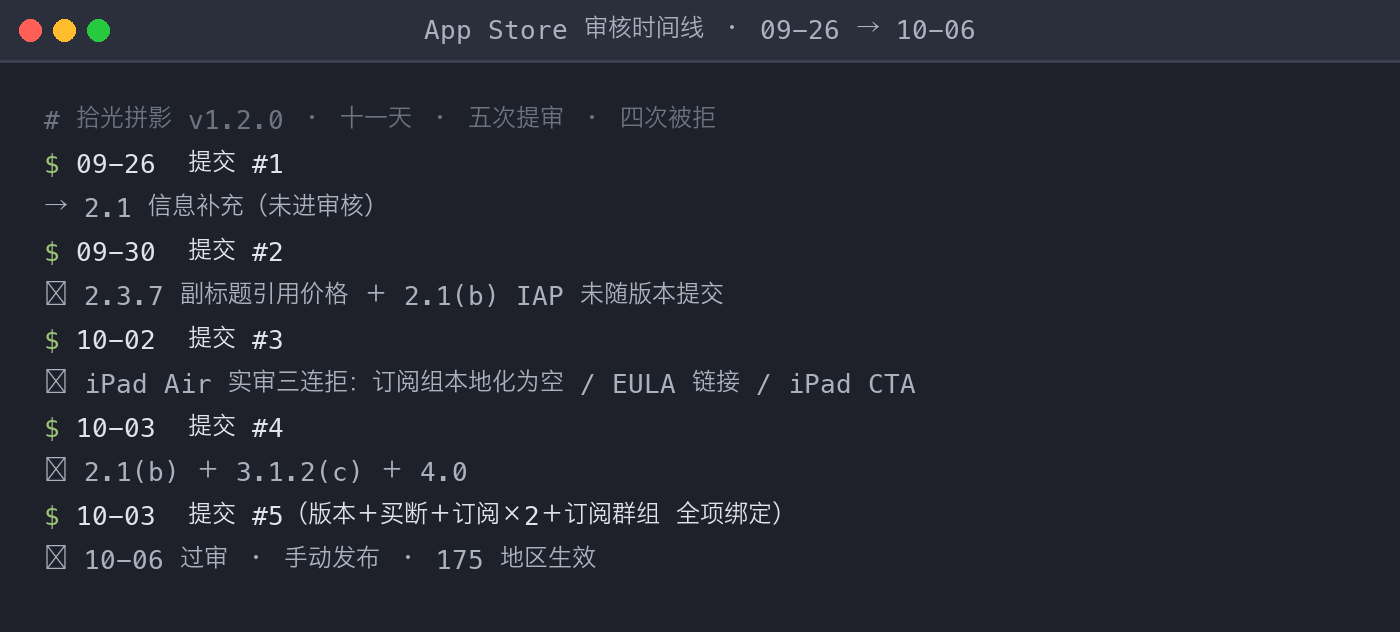
On October 6, my photo collage app Purely Collage passed App Store review. I pressed the release button manually, and it went live in 175 regions worldwide. Counting from the first submission on September 26, that’s eleven days, five submissions, four rejections. This is my second shipped iOS app — the first was Jianshi, an AI companion, which took three rounds. The collage app nearly doubled the record. Here is the full story: the product itself, plus the fight-by-fight details, for anyone preparing their own submission.
The product: a collage app that never goes online
Purely Collage (Chinese name: 拾光拼影) is a photo collage tool built around one hard constraint: zero network. Photos are processed entirely on-device from import to export, never uploaded. No account, no login, no personal data collection. The shortest sentence in the privacy policy is also the hardest one.
That red line is not purism — it’s positioning. Look where this category is heading: OPPO turned “pop-out live-photo collages” into a system feature, but it uploads photos to the cloud; Meitu’s AI features (AI portraits, AI group photos) all run on cloud compute; Xiaohongshu shipped its own image editing model, pulling editing into the platform. The whole industry is racing to the cloud — which leaves “your photos never leave your phone” as an unclaimed position. iPhone users who want a pop-out collage today either do it manually in five steps or hand their photos to someone else’s server. We got there with on-device Vision framework subject extraction plus local layout.
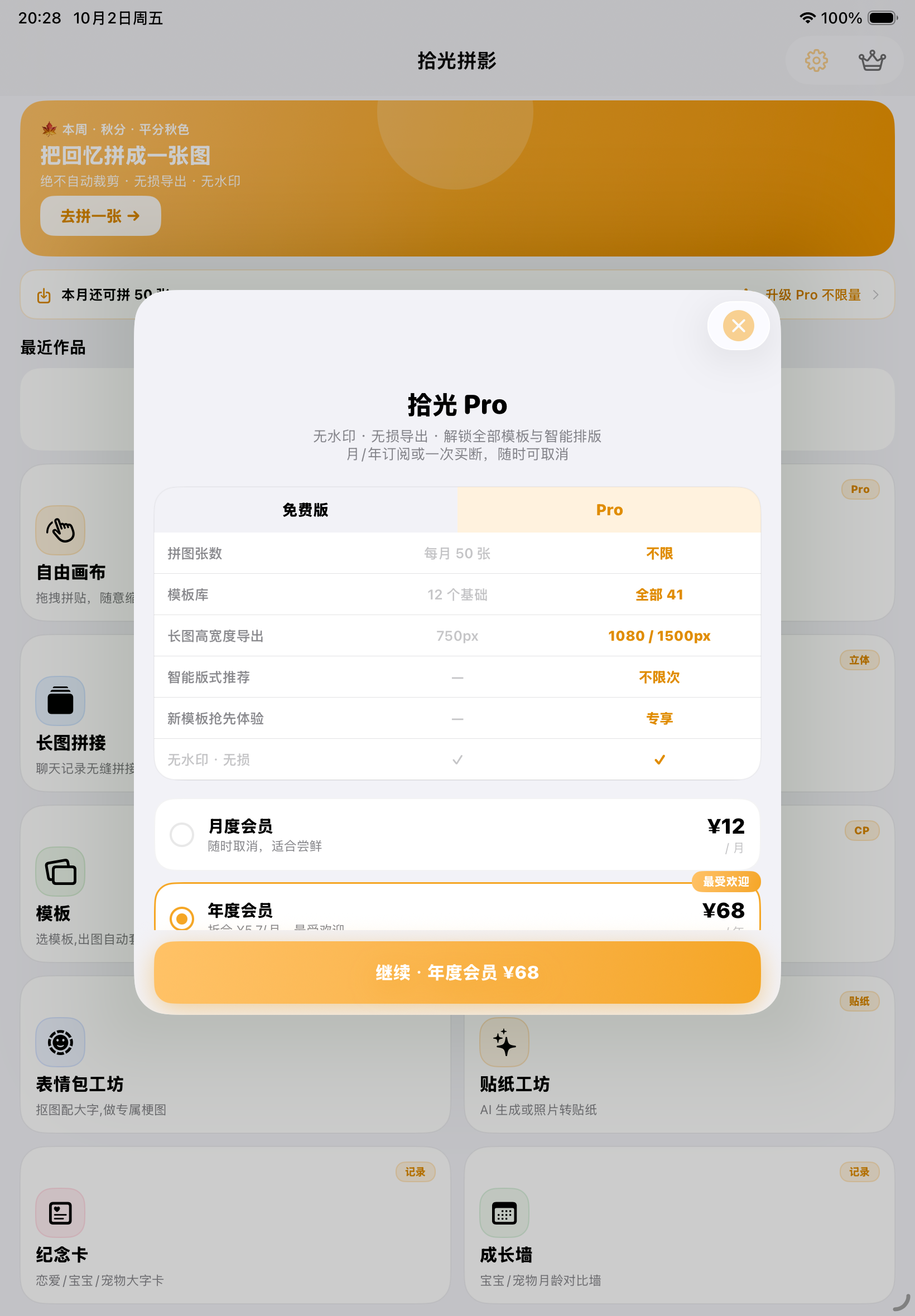
There are eight modes now: free canvas, smart layout, stitch, 3D pop-out, templates, couple wallpapers, memes, and stickers. The pipeline is simple: photo → one-tap enhance (on-device) → layout and export. Pro unlocks all templates and HD export at ¥12/month, ¥68/year, or a ¥98 lifetime purchase, with a free trial on first launch.
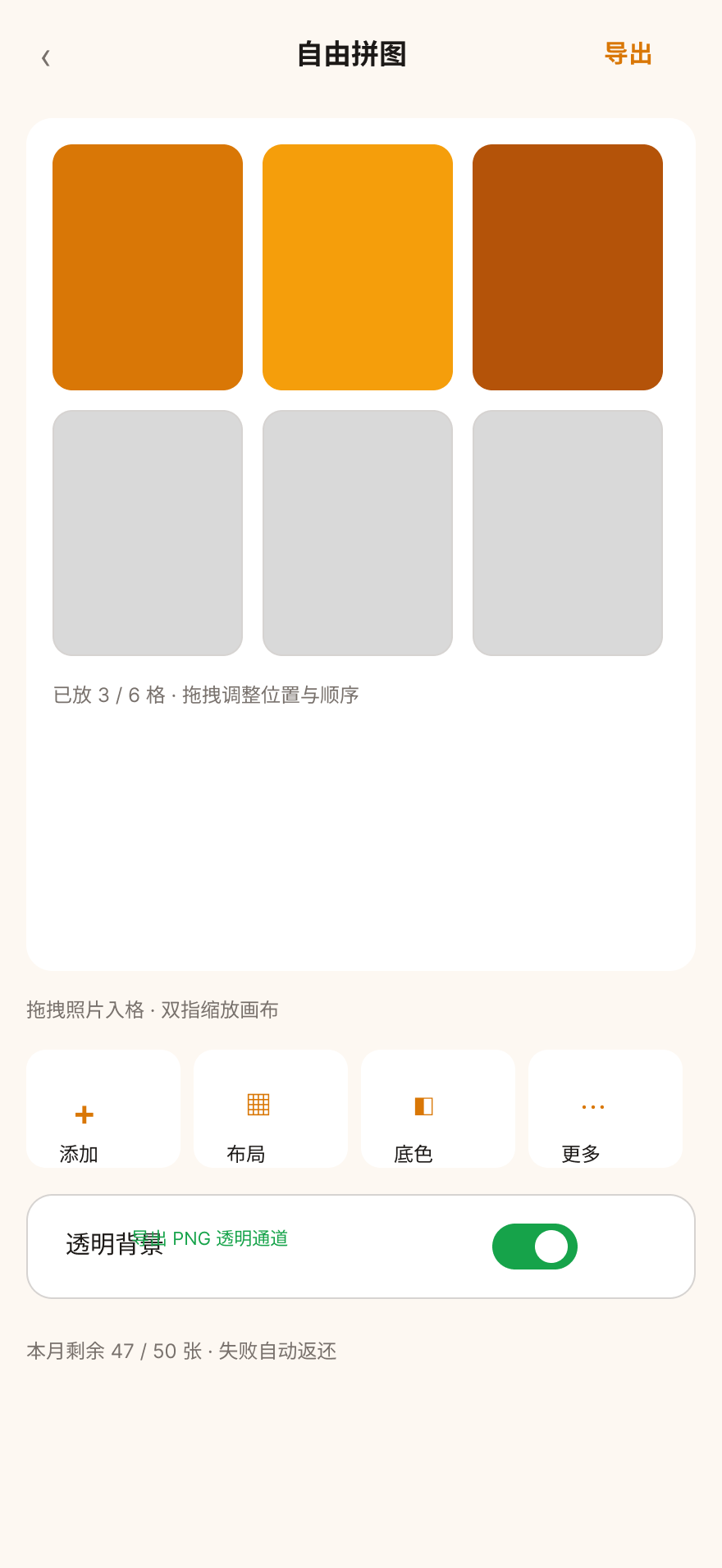
The most-used mode is Free Canvas: drag, pinch to scale, with transparent PNG export that covers sticker and design workflows too.
Five submissions, four rejections: round by round
Round 1 (submitted 9/26): a 2.1 information request. Stopped before review even started, asked to fill in information. Routine, I thought — the hard part would be the product itself. That was naive.
Round 2 (submitted 9/30): rejected on 2.3.7 + 2.1(b). Two causes of death. First, the subtitle quoted a price — 2.3.7 forbids prices in App metadata, because prices change by region and currency, making it “inaccurate metadata.” Second, the in-app purchases were not submitted with the build. That second one is the classic newcomer trap: an IAP isn’t done when it’s configured — it must be bound to the version as a single submission.
Round 3 (submitted 10/2): a triple rejection from a real iPad Air. This one hurt the most. One rejection letter, three findings: empty subscription-group localized name, missing EULA link, and no clear purchase call-to-action on iPad. The lesson is very concrete — iPad review is not a formality; the reviewer plays your app end to end on real hardware, and if the purchase entry point wasn’t adapted for iPad, they genuinely cannot find it.
Round 4 (submitted 10/3): rejected on 2.1(b) + 3.1.2(c) + 4.0. The previous fix wasn’t complete, and the old issues came back with new clauses attached.
Round 5 (same day, everything fixed and resubmitted): approved on 10/6. The final submission contained “5 items”: the app version itself + non-consumable + two subscriptions + the subscription group, all bound together, passed in one go.
The biggest takeaway after five rounds: most rejection causes are not in your code — they live in the cracks between metadata and IAP configuration. One phrase in a subtitle, one empty field in a subscription group, one unchecked “submit with version” box — any of them is enough to keep the best product outside the door. Apple’s review checklist is deterministic; manage it like a spec instead of praying about it like luck.
Two things we cut, and why
Two subtractions mattered as much as the features.
We cut the photo retouching pen. For stain and shadow removal we iterated three rounds of on-device classical pixel algorithms (median fill, Telea inpainting, light transfer). The conclusion: classical algorithms have a stability ceiling on real-world photos, and commercial-grade results need generative models — which violates the zero-network red line. That ticket number (INV-73) was revoked and never reused, and the lesson went into the spec: before on-device generative capability matures, we don’t start projects in this category again.
We said no to hot updates. App Store guideline 3.3.2 forbids downloading executable code, zero-network is the core selling point, and we didn’t want to run a backend — put those three together and template updates have exactly one answer: monthly releases with the app version.
How it was built
The project was built with an AI assistant team throughout: requirements live in a PRD, every change has a ticket number (the INV system), every decision lands in a spec. On testing: two unit-test frameworks (XCTest and Swift Testing) with 400+ cases, plus 78 UI tests, all green before release. Even so, the release-polishing round caught a real regression: a whitelist check kept blocking AI dynamic templates (random UUIDs) from the loading branch — the AI placement feature had never worked since launch day, with every test green. The tools changed; the pits didn’t. Only their locations did.
What’s next
- v1.2.1 is already approved: pricing card borders, artwork title language, and clearer free-vs-Pro boundaries — all three driven by what the review conversations taught us about stating things clearly.
- Android is now a project: domestic Chinese app stores + an account system, positioned as an online app. The zero-network red line is intentionally relaxed on Android — a deliberate product judgment: the environment and expectations of domestic users are different, and an iOS differentiation point copied over could become a liability.
- China storefront: coming after the ICP filing clears, which is when the Chinese name will finally be searchable in the Chinese App Store.
Download: search “Purely Collage” on the App Store, or open the App Store page directly. If you’re shipping indie apps too, let’s compare review scars — I stepped on five submissions’ worth for you.